
Introduction
Creating ebooks has become one of the smartest ways to share knowledge, build authority, grow an audience, and even generate passive income. But many people still believe that creating ebooks is difficult, time-consuming, and requires expert writing or design skills.
The truth? With ChatGPT and Canva, anyone can create a professional-quality ebook in just a few hours—sometimes even in less than 60 minutes.
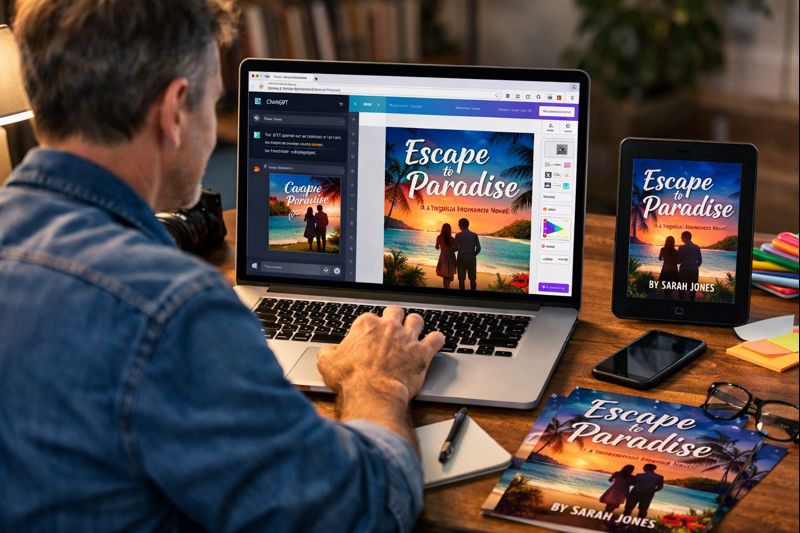
This guide will walk you through everything you need to know, from brainstorming ideas to publishing your final ebook. Whether you’re a beginner or a content creator looking to scale your digital products, this detailed tutorial will help you get started immediately.
Why Use ChatGPT + Canva for Ebook Creation?
Before jumping into the process, it’s important to understand why these two tools make the perfect combination.
✔ ChatGPT Helps You Create High-Quality Content Easily
ChatGPT can generate ideas, structure your chapters, write the content, and even rewrite sections in different tones or styles. You don’t need to be a professional writer; you simply need to prompt ChatGPT the right way.
✔ Canva Helps You Design Stunning, Professional Ebooks
Canva offers ready-made ebook templates, drag-and-drop design tools, and easy export options. You don’t have to be a graphic designer. Canva’s interface makes designing beautiful ebooks possible for everyone.
✔ The Combo Saves Time
Instead of spending days or weeks creating an ebook, ChatGPT handles writing while Canva takes care of design. This significantly reduces your workload and lets you publish faster.
Step 1: Choose a Profitable Ebook Topic
The most crucial step is selecting a topic your audience will care about. Even the best-designed ebook will not perform well if the topic doesn’t solve a problem or spark curiosity.
How to Pick a Good Ebook Topic
Ask yourself:
- What questions do people frequently ask in your niche?
- What skills or knowledge can you share that will help others?
- What trends are popular right now on social media?
- What do people currently pay for on Amazon Kindle?
You can even ask ChatGPT:
“Give me 20 profitable ebook topics in the [your niche] industry.”
This gives you quick inspiration and helps you find trending ideas.
Step 2: Plan Your Ebook Structure with ChatGPT
Instead of staring at a blank page, you can let ChatGPT handle the entire outline.
Create a Strong Ebook Outline
Use this prompt in ChatGPT:
“Create a detailed chapter-wise outline for an ebook titled [Your Title] aimed at beginners/intermediates. The ebook should be around 30–40 pages.”
ChatGPT will generate:
- A table of contents
- Chapters and sub-chapters
- Key points for each section
This framework saves hours of planning and gives your ebook a clear, professional structure.
Step 3: Generate the Ebook Content Using ChatGPT
Once your outline is ready, ask ChatGPT to write the contents section by section. This is the easiest and fastest way to create high-quality content.
Write One Chapter at a Time
This approach ensures clarity and avoids information overload.
Use a prompt:
“Write Chapter 1 of the ebook based on the outline above. Make it detailed, engaging, easy to understand, and about 600–800 words.”
Repeat this for every chapter.
Improve Your Content with ChatGPT
You can further refine the writing by asking ChatGPT to:
- Rewrite for a different tone
- Add examples
- Simplify or expand
- Add case studies or stories
- Make the writing more conversational
This helps your ebook feel unique, polished, and tailored to your audience.
Step 4: Edit & Proofread Your Ebook
Even though ChatGPT produces excellent content, you still need to manually review it.
Why Editing Matters
- Ensures accuracy and consistency
- Removes unnecessary repetition
- Enhances readability
- Ensures the content aligns with your voice
You can also ask ChatGPT:
“Proofread and improve the following text while keeping the meaning intact.”
Paste your chapter and get a cleaner version.
Step 5: Create a Beautiful Ebook Design in Canva
Now that your content is ready, switch to Canva to design your ebook visually. Canva offers stunning templates that are fully customizable.
How to Design Your Ebook in Canva
1. Open Canva and Search for “Ebook Templates”
You’ll find hundreds of designs:
- Minimal
- Modern
- Creative
- Professional
Choose a template that matches your topic and audience.
2. Customize Your Cover Page
Your ebook cover is the first impression—it must be eye-catching and clear.
Include:
- Title
- Subtitle
- Author name
- Branding elements (optional)
Add images, shapes, or illustrations that match your theme.
3. Design Inside Pages
Use Canva’s drag-and-drop features to add:
- Headers and subheaders
- Page numbers
- Illustrations or icons
- Quotes
- Charts and infographics
- High-quality images
Keep the design simple and readable. A clean layout looks more professional than something overly decorated.
4. Add Your ChatGPT-Generated Text
Copy and paste your ebook content into Canva pages, formatting them consistently:
- Use proper spacing
- Choose readable fonts
- Maintain color consistency
- Align paragraphs neatly
Canva also lets you create custom page layouts to make your ebook visually appealing.
Step 6: Add Visual Enhancements to Make Your Ebook Stand Out
Visuals not only improve readability but also help your ebook look premium.
What You Can Add
- Relevant images from Canva’s free library
- Custom illustrations for concepts
- Infographics summarizing important points
- Graphs/charts (Canva offers built-in tools)
- Callout boxes for tips, warnings, or reminders
These elements break large text blocks, keeping your readers engaged.
Step 7: Finalize and Export Your Ebook
After completing the design, it’s time to export your ebook.
Best Format to Export
- Export your ebook as a PDF (Standard) for easy distribution
- Use PDF (Print) for high-quality printable ebooks
- Use PNG/JPEG only if you’re exporting covers or promotional graphics
Ensure the file size is optimized for sharing across platforms like WhatsApp, email, or Kindle.
Step 8: Promote and Publish Your Ebook
Creating the ebook is only the first step—marketing it effectively is the real game-changer.
Ways to Promote Your Ebook
- Amazon Kindle Direct Publishing (KDP)
Publish as a Kindle ebook or paperback. - Gumroad or Payhip
Sell digital copies easily worldwide. - Social Media Platforms
Promote with reels, posts, or stories. - Email Newsletter
Offer your ebook as a lead magnet. - LinkedIn & Facebook Groups
Share your ebook with communities that care about your topic. - Your Website or Blog
Integrate it into your content strategy.
Pro Tips for Creating a High-Quality Ebook
✔ Make Your Ebook Reader-Friendly
Avoid overcrowding pages. Use white space to make the text breathable.
✔ Use Brand Consistency
Stick to:
- 2–3 main colors
- 2 font styles
- A single theme
It helps maintain a professional look.
✔ Add Interactive Elements (Optional)
You can include:
- Clickable links
- Hyperlinked table of contents
- Embedded videos (for web PDFs)
✔ Don’t Forget Copyright and Legal Pages
Include:
- Copyright page
- Disclaimer
- About the author
- References (if any)
This gives your ebook legitimacy and protects your content.
Why This Method Works So Powerfully
Traditional ebook creation required:
- Writing everything manually
- Hiring editors
- Hiring designers
- Using expensive software
But ChatGPT + Canva simplifies the entire process. ChatGPT acts as your writer, editor, researcher, and planner. Canva becomes your designer, layout artist, and branding expert.
The result?
A professional, valuable ebook created in a fraction of the time—without spending money on expensive tools or freelancers.
Final Thoughts
Creating ebooks no longer has to be a stressful or complicated process. With the combination of ChatGPT and Canva, you can turn your ideas into polished digital products quickly and easily. Whether you want to build your brand, grow your audience, or sell digital products for passive income, ebooks are one of the best ways to do it.
If you follow the steps above—choosing a topic, outlining with ChatGPT, generating content, designing in Canva, and publishing—you’ll be able to produce ebooks that look professional, read beautifully, and deliver real value to your readers.