
Top 20 AI Tools Everyone Should Use in 2026
Introduction
AI tools in 2026 aren’t just “chatbots” anymore—they’re full-on work accelerators: research assistants that cite sources, design suites that generate campaigns in minutes, coding agents that can refactor entire modules, and audio/video tools that turn rough ideas into publish-ready content. The smartest approach isn’t to hunt for one “best” tool; it’s to build a small, reliable stack: (1) a general AI assistant, (2) a research tool, (3) a creation suite, (4) a coding assistant, and (5) automation.
Below are 20 tools that cover the entire workflow, including their strengths, realistic use cases, and pricing guidance as of January 2026 (pricing changes frequently—always verify the vendor’s page before making a purchase).
1) ChatGPT (OpenAI) — the all-rounder for writing, analysis, and workflows
If you want one tool that can jump from brainstorming to drafting to spreadsheet reasoning to image generation, ChatGPT remains the most flexible “daily driver.” It’s strong for turning messy thoughts into structured outputs (blogs, scripts, study notes), summarizing documents, creating checklists, and building lightweight prototypes or code snippets. In 2026, OpenAI’s plan lineup includes a Free tier plus paid tiers like Go, Plus, Business, and Enterprise, with features scaling by usage limits, speed, and collaboration/admin controls. The official pricing page is the best source for current plan details and what each tier includes. (ChatGPT)
Pricing snapshot (Jan 2026): OpenAI has also rolled out ChatGPT Go as a lower-cost subscription tier positioned between Free and Plus (reported at $8/month in recent coverage, though exact limits can vary). (The Verge)
Best for: general productivity, writing, study, everyday problem-solving, multi-step tasks.
2) Claude (Anthropic) — long-context writing + serious reasoning
Claude is widely used for thoughtful writing, deep analysis, and handling large documents with strong coherence. It’s especially handy when you need a tool that “keeps the thread” over long reports, policies, research notes, or product specs. Claude’s tiers include Free and paid plans, and the official Claude pricing page is the cleanest place to verify what you get at each level. (Claude)
Pricing snapshot (Jan 2026): Claude offers paid tiers such as Pro and higher tiers (often aimed at heavy users), with plan structure and availability shown on their pricing page.
Best for: long-form writing, document-heavy work, careful editing, nuanced reasoning.
3) Gemini (Google) — best if you live inside Google’s ecosystem
If your life runs through Gmail, Docs, Drive, and Google Search, Gemini can feel like the most “native” assistant. It’s built to work smoothly with Google’s tools, and Google has also positioned AI subscriptions as part of its broader Google One-style plans. For many users, the real value is the ecosystem fit: summaries of Docs/PDFs, help drafting in Gmail, and research workflows that tie into Google products.
Pricing snapshot (Jan 2026): Google’s AI plan info is published under Google One / Google AI plan pages, and the Gemini student offer page references $19.99/month renewal pricing after a trial in supported regions. (Google One)
Best for: Google Workspace users, research + drafting tied to Drive/Docs.
4) Microsoft Copilot — the Office power tool for Word/Excel/PowerPoint
For anyone doing real work in Excel, PowerPoint, Outlook, and Teams, Microsoft Copilot can be the most directly profitable AI purchase because it sits where the work already happens. Think: summarizing email threads, generating slide outlines, rewriting documents with consistent tone, or helping analyze spreadsheets. Microsoft publishes Copilot plan and pricing information across consumer and business pages, and it’s worth reading the fine print because packaging can differ by region and subscription. (Microsoft)
Best for: Office-heavy roles (analysts, ops, sales, managers), slide + spreadsheet workflows.
5) Perplexity — AI research with sources, fast
When you want answers with citations and a research flow that feels closer to “search + synthesis,” Perplexity is a standout. It’s excellent for market scans, competitor research, learning new topics quickly, and producing a sourced summary you can trust more than a generic chat response. The Pro page lists current subscription pricing, and Perplexity also provides enterprise pricing tiers for teams. (Perplexity AI)
Pricing snapshot (Jan 2026): Perplexity Pro is shown at $17/month on its Pro page (pricing can vary by billing cycle/offers).
Best for: research, fact-finding, sourced briefs, and faster learning.
6) Notion AI — turning messy notes into a working system
Notion evolved from a notes app into a real work OS, and Notion AI is increasingly about finding, writing, and organizing across your workspace. It helps generate meeting notes, draft docs, summarize project updates, and answer questions from your internal pages. The official Notion site covers pricing and also explains how it handles AI subprocessors and data practices—important if you’re using it for company work. (Notion)
Best for: personal knowledge management, team docs, meeting notes, internal Q&A.
7) NotebookLM (Google) — the “study buddy” for your own sources
NotebookLM excels when you need AI integrated into your documents—lecture PDFs, reports, interview transcripts, or reading lists. It’s a strong tool for students, analysts, and researchers who want structured notes, Q&A over sources, and faster synthesis without constantly context-switching. Google also references the benefits of NotebookLM on its Google AI plan pages. (Google One)
Best for: studying, literature review, internal document Q&A, and summarization.
8) Canva (Magic Studio) — content creation at business speed
Canva’s AI features (often grouped as Magic Studio) are built for people who need output now: social posts, thumbnails, flyers, pitch decks, ad creatives, and brand kits—without a design team bottleneck. It’s extremely practical for creators and small businesses because the workflow goes from idea → design → export in one place, and Canva publishes plan information on its pricing pages. (Canva)
Best for: creators, marketing teams, social media, and rapid brand assets.
9) Adobe Firefly — professional-grade generative creative
If you want generative AI that fits into a professional design workflow, Adobe Firefly is the “serious” option—especially for teams already using Photoshop/Illustrator/Creative Cloud. It’s designed for generating and editing images (and more) with controls that creatives actually need. Adobe publishes Firefly plan pricing and also shows regional pricing pages (which matter a lot outside the US). (Adobe)
Pricing snapshot (Jan 2026): Firefly plans are shown starting around $9.99/month for Standard and $19.99/month for Pro on Adobe’s plan page (US pricing; regional pricing differs).
Best for: designers, agencies, brand-safe creative workflows, Adobe ecosystem users.
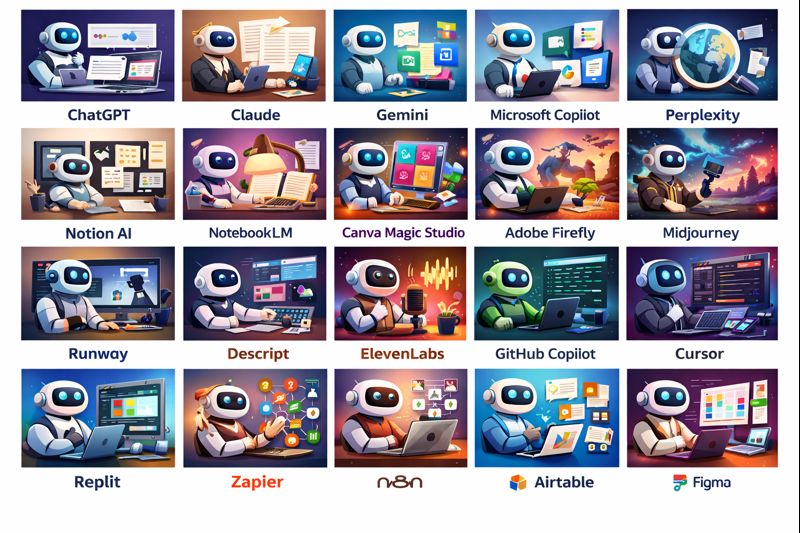
10) Midjourney — high-quality image generation for style and mood
Midjourney remains a favorite for high-aesthetic image generation—concept art, product mood boards, thumbnails, and bold creative directions. It’s less about “one-click marketing graphics” and more about generating striking visuals with a strong artistic feel. Midjourney documents compare plan tiers and features in its official docs. (Midjourney)
Best for: creators who want standout visuals, moodboards, and concept design.
11) Runway — AI video creation and editing
When your workflow is “I need a video, but I don’t have a full production team,” Runway is a practical choice. It helps generate clips, extend shots, remove backgrounds/objects, and speed up editing. If you’re producing short-form content at scale (reels, ads, explainers), video AI tools can save days each month.
Best for: video creators, marketers, short-form studios, ad teams.
12) Descript — edit video/audio like a document
Descript is the easiest way to turn recordings into polished content because it treats editing like text: remove filler words, cut sections by deleting sentences, generate captions, and repurpose long recordings into clips. It’s especially powerful for podcasts, interviews, and course content where speed matters.
Best for: podcasters, YouTubers, course creators, and interview-heavy content.
13) ElevenLabs — natural voice generation and dubbing
ElevenLabs is widely used for realistic voiceovers, dubbing, and narration workflows. If you create tutorials, explainers, shorts, or product demos, voice generation can turn scripts into publish-ready audio quickly—just be careful about consent and voice rights in any commercial use.
Best for: voiceovers, dubbing, narration, multilingual content.
14) GitHub Copilot — coding assistance inside your IDE
For developers, GitHub Copilot is one of the highest-ROI subscriptions because it reduces boilerplate, speeds up refactors, and improves iteration speed when paired with good engineering discipline. GitHub publishes Copilot plan info and pricing/benefit details, including premium request limits and tier differences. (GitHub)
Pricing snapshot (Jan 2026): GitHub’s Copilot plans include paid tiers such as Pro+ ($39/month) shown on the Copilot pricing page, plus other tiers for different needs.
Best for: developers, engineering teams, faster prototyping + refactoring.
15) Cursor — AI-first coding environment for “agentic” development
Cursor is popular as an AI-native editor that can chat over your codebase, suggest changes across files, and accelerate debugging. It’s a strong complement (or alternative) to traditional IDE + assistant workflows, especially for solo builders moving fast.
Best for: rapid prototyping, startups, solo devs, codebase-wide edits.
16) Replit — build and deploy from your browser
Replit is the fastest way for many beginners and indie hackers to go from idea → running an app. The AI assistance plus instant hosting can remove a lot of “setup friction,” which is often what kills momentum. It’s not always the choice for large-scale production, but for learning and MVPs, it’s excellent.
Best for: beginners, hackathons, MVPs, quick demos.
17) Zapier — automate work across apps with AI
Zapier is the glue between tools: move leads from forms to CRMs, send alerts, summarize tickets, generate drafts, and trigger workflows across hundreds of apps. Pairing automation with AI means you stop doing “copy-paste ops” and start running systems.
Best for: creators and businesses automating repetitive workflows across apps.
18) n8n — self-hosted automation for control and cost
If Zapier is the easiest, n8n is often the most flexible for teams that want control, self-hosting, or deeper workflow customization. It’s great when you need to integrate internal systems, run more complex logic, or keep data inside your environment.
Best for: technical teams, self-hosted automation, internal workflows.
19) Airtable — AI-friendly databases for operations and content
Airtable sits between spreadsheets and databases, and it’s extremely useful for content pipelines, lightweight CRMs, product backlogs, and campaign management. With AI features layered in, it becomes easier to summarize records, generate descriptions, and keep operations moving.
Best for: ops teams, content production systems, campaign tracking, lightweight CRM.
20) Figma — design faster with AI-assisted ideation
For product teams, Figma is where interfaces are born. AI assistance helps speed up early ideation, generate variants, and reduce repetitive UI work. The biggest value is collaboration: designers, PMs, and engineers can iterate in one shared place.
Best for: product design, UI/UX, collaborative prototyping.
Quick comparisons: what to pick if you only buy 3–5 tools
If you want a simple, reliable stack, start with one general assistant + one research tool + one creation tool. A common trio is ChatGPT (general) + Perplexity (research) + Canva or Adobe Firefly (creative), because that covers thinking, truth-seeking, and output. (ChatGPT) If your work lives in documents and long writing, swap in Claude as your primary writer/editor. (Claude) If your day is Microsoft-heavy, prioritize Copilot because the integration payoff is immediate. (Microsoft) And if you code daily, treat GitHub Copilot (or Cursor) as a productivity investment rather than a “nice-to-have.” (GitHub)
📚 Related Article
How Artificial Intelligence Actually Works — Explained Simply